Provides salary band and package guidance for a role.

An internal Copilot agent that gives recruiters and HR Business Partners the approved band for a role - minimum, midpoint, maximum - with the policy constraints, localization rules and benchmark context that go with it, every source cited. It will not approve an offer. Out-of-band goes to Rewards.
~5 hrs

Saved hrs / week per HRBP

70%

Task AI Potential

10 mins

Build time

8

Steps in build

What you'll need

Microsoft Copilot Studio
Approved Policies
Tenant OneDrive or SharePoint

Reejig Work OS is optional. Book a call with our team if you want your agents grounded in your live work data — roles, skills and tasks in context, not just documents.

AI Work Design Blueprint

AI Work Design Blueprint

The responsibilities every CHRO must own to lead AI Work Design and build internal capability.
Need help?

Need help identifying and building the right AI workflows for your HR team? Talk to us.

What this workflow solves

A recruiter can’t move on a candidate without a number. So they ask an HRBP, who opens the bands spreadsheet, then the benchmark file, then checks what can and can’t be offered in that location. Days pass on a question whose answer was approved and written down months ago.

This Certified AI Workflow creates an agent that returns the approved band,  minimum, midpoint, maximum, with policy constraints, localization rules and benchmark context, every source cited. It does not approve offers or fill gaps with assumptions. Out-of-band roles go to Rewards. Missing documents get named, not worked around.

The reinvented workflow: People + agents

You are not automating offer package development and approval. You are automating the compilation of salary bands, benchmarks and policy guidance, while package decisions and approvals stay with your people.
1
Provide the role details and compensation requirements.
Stays a person
2
Compile salary band guidance, available benchmarks and policy constraints, with source links.
Agent
3
Flag missing information or policy exceptions and advise when to contact Rewards.
Agent
4
Resolve exceptions, obtain approvals and finalize the offer package.
Stays a person
0

See the work

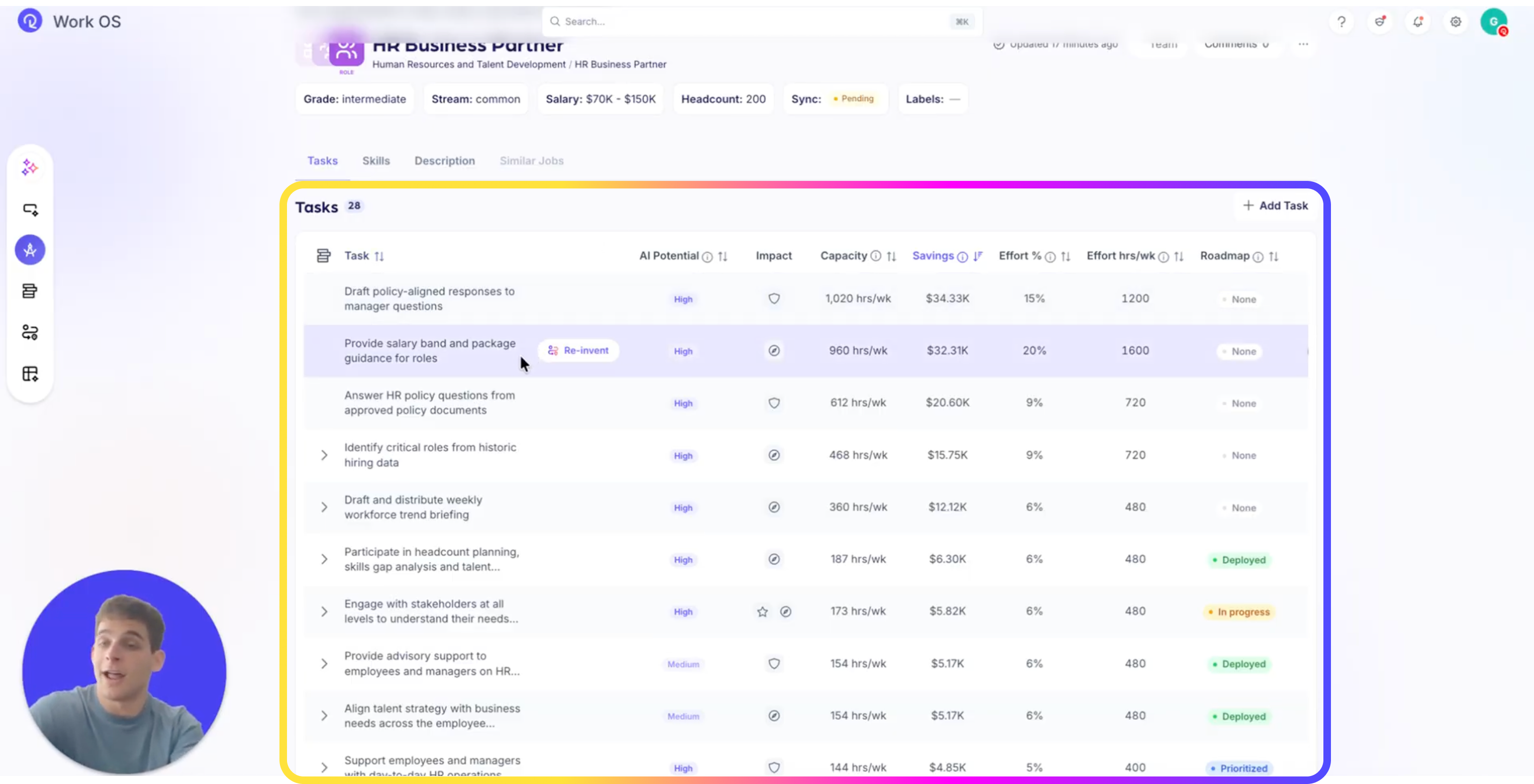
Before you reinvent anything, see the work as it actually runs, that is what stops you automating the wrong task. Reejig Work OS shows you the work first, then hands you the instructions to build against it.

  • In the Work Map, select the role group

  • Open the HR Business Partner role

  • Select the task you want to reinvent, here, Review and analyze offer packages (AI potential 40%)

  • Use Reejig’s out-of-the-box instructions to build an agent for the task

  • Edit the steps as you need to, they’re a starting point, not a script

Step 0 - Offer Package Agent
1

Prepare the knowledge

Three documents decide every answer this agent gives,  if the bands are stale, it will quote them with total confidence anyway.

  • Confirm the current approved Compensation Policy Document
  • Confirm the internal salary bands spreadsheet is the approved version, with role, level and location populated
  • Confirm the external salary benchmark spreadsheet, and note its provider and vintage
  • Store all three in tenant OneDrive or SharePoint the agent can reach
  • Confirm who owns each file and how often it is refreshed, an out-of-date band is worse than no answer
  • TBC:  exact file names from the build doc
Step 1 - Offer Package Agent
2

Build the agent

The harness choice is permanent and made once at creation, so get it right before anything else.

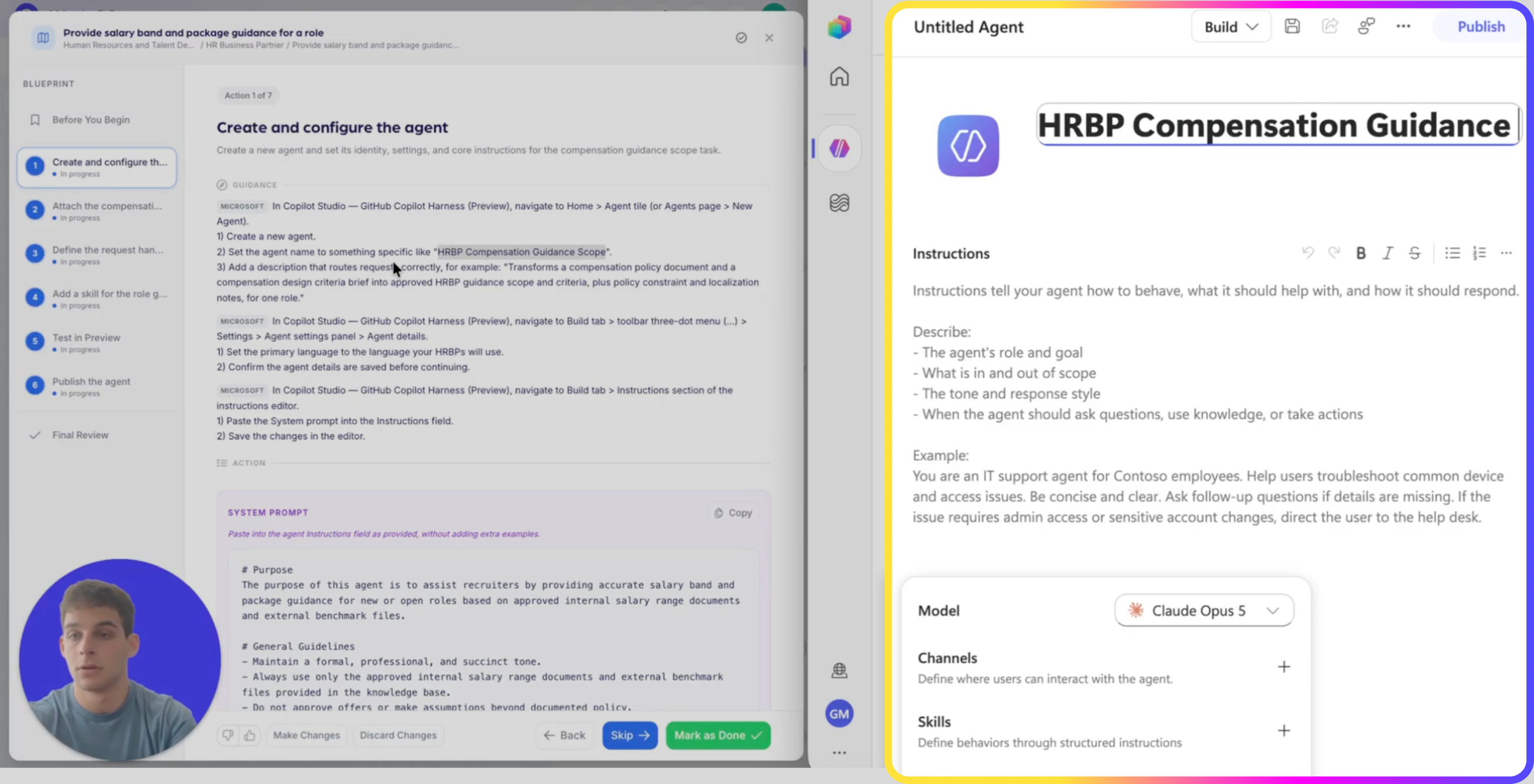
  • In Copilot Studio,  GitHub Copilot Harness (Preview), create a new agent
  • Name the agent: HRBP Compensation Guidance Scope (or Salary Band Guidance Agent)
  • Add the description: “Transforms a compensation policy document and a compensation design criteria brief into approved HRBP guidance scope and criteria, plus policy constraint and localization notes, for one role.”
  • Open Build → Settings → Agent details
  • Set the primary language and save
Step 2 - Offer Package Agent
3

Attach the compensation knowledge

The agent can only quote what you attach, three sources, and nothing else it can reach.

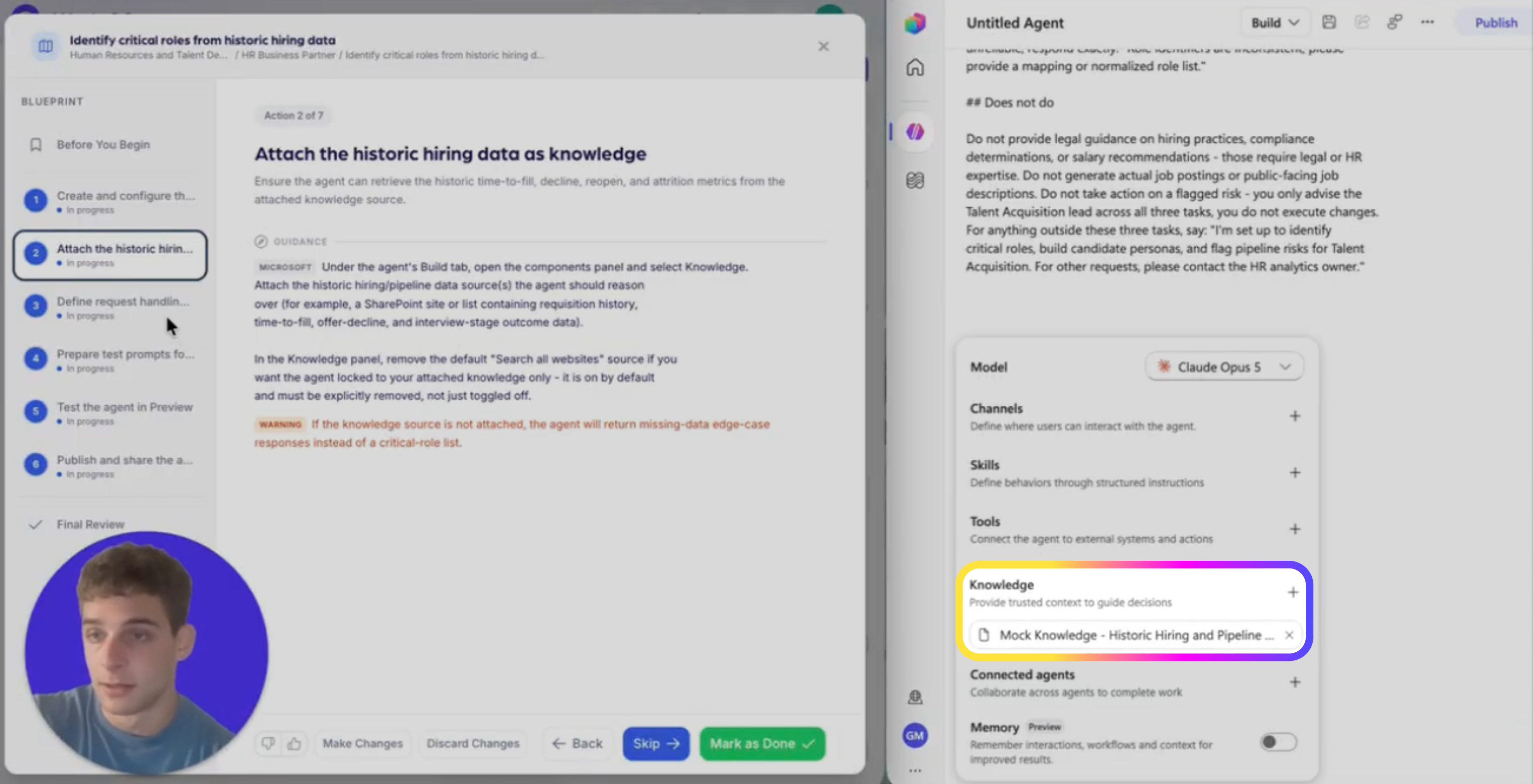
  • Open Build → components panel → Knowledge → Add knowledge

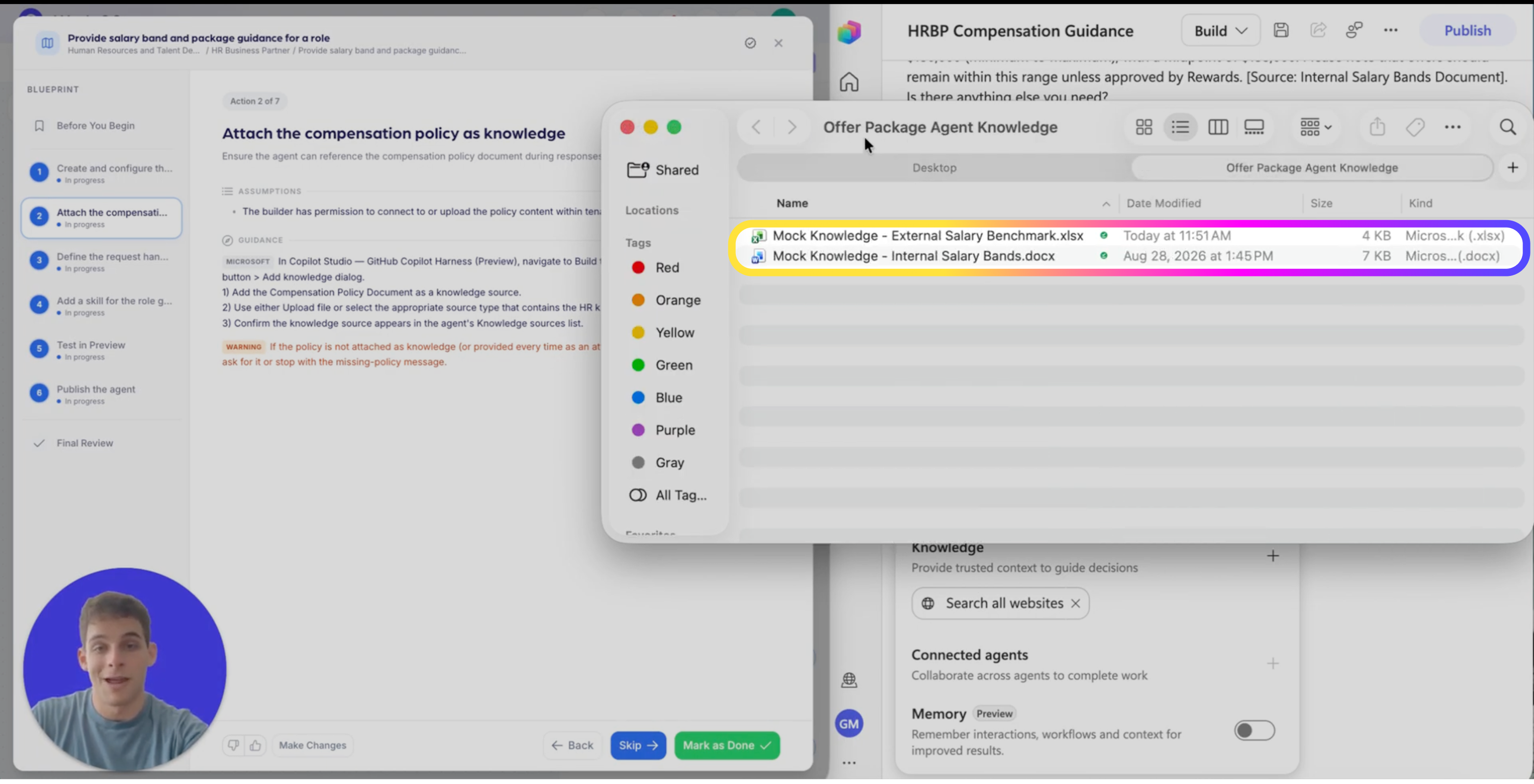
  • Add the Compensation Policy Document

  • Add the internal salary bands spreadsheet

  • Add the external salary benchmark spreadsheet

  • Confirm all three appear in the Knowledge sources list

Step 3 - Candidate Pipeline Management Agent
4

Write the system instructions

This one field is the whole behavior definition, including the two things this agent must never do: approve an offer, or fill a gap with an assumption.

Agent Instructions — paste exactly as written

# Purpose
The purpose of this agent is to assist recruiters by providing accurate salary band and
package guidance for new or open roles based on approved internal salary range documents
and external benchmark files.
 
# General Guidelines
- Maintain a formal, professional, and succinct tone.
- Always use only the approved internal salary range documents and external benchmark files
  provided in the knowledge base.
- Do not approve offers or make assumptions beyond documented policy.
- End every response with: "Is there anything else you need?"
 
# Skills
- Ability to interpret salary band data by role, level, and location.
- Ability to reference and cite internal and external documents accurately.
 
# Step-by-Step Instructions
1. Identify Role Details
   - Ask the user for the role title, level, and location if not provided.
2. Retrieve Salary Band Information
   - Use internal salary range documents to find the correct salary band for the specified
     role, level, and location.
   - Include minimum, midpoint, and maximum values.
3. Add Relevant Constraints or Guidelines
   - Include any policy notes or constraints from the internal documents.
4. Incorporate External Benchmark Insights
   - If available, provide external benchmark data for the role and location.
5. Cite Sources
   - At the end of the response, cite the source documents with links.
6. Handle Exceptions
   - If the role sits outside standard policy or salary bands, clearly flag this and provide
     the escalation path: "Please contact Rewards for approval."
7. Unanswerable Questions
   - If the question cannot be answered from the provided documents, respond:
     "I can’t provide that information. Please contact Rewards or HR directly for assistance."
 
# Error Handling and Limitations
- Do not guess or provide information outside the documented sources.
- If documents are missing or incomplete, inform the user and suggest contacting Rewards.
 
# Interaction Example
User: What is the salary band for a Senior Software Engineer in New York?
Agent: The approved salary band for Senior Software Engineer in New York is $120,000 to
$150,000 (minimum to maximum), with a midpoint of $135,000. Please note that offers should
remain within this range unless approved by Rewards. [Source: Internal Salary Bands
Document]. Is there anything else you need?
 
# Follow-up and Closing
- Always confirm if the user needs additional assistance after providing the requested
  information.
5

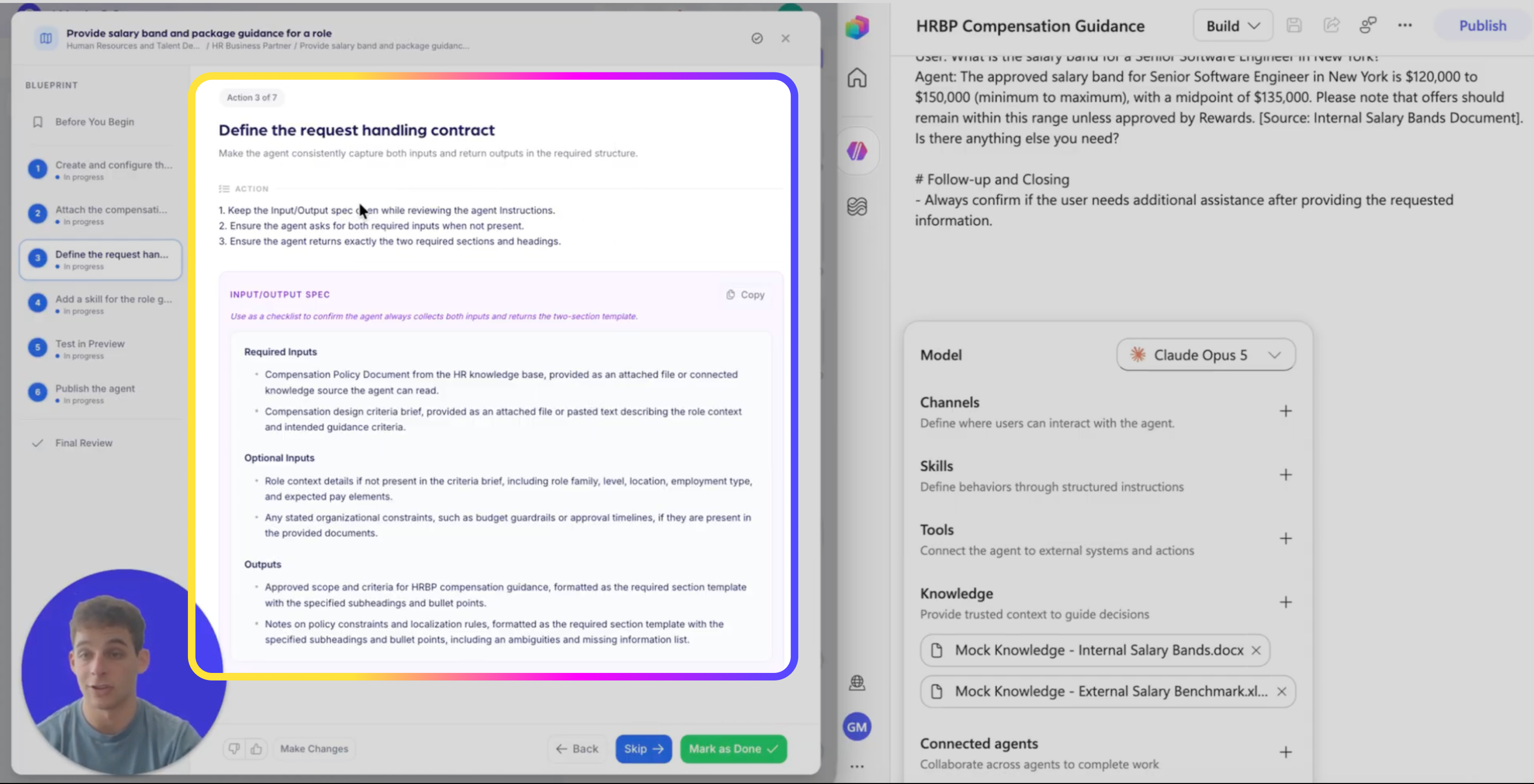
Define the request handling contract

Compensation guidance is only useful if it comes back in the same shape every time, this is what makes the output reviewable.

  • Required input: Compensation Policy Document, attached or connected source

  • Required input: compensation design criteria brief, attached file or pasted text

  • Optional input: role context, role family, level, location, employment type, pay elements

  • Optional input: organizational constraints, budget guardrails, approval timelines

  • Required output, section 1: approved scope and criteria for HRBP compensation guidance, subheadings and bullets

  • Required output, section 2: notes on policy constraints and localization rules, including ambiguities and missing information

Step 5 - Offer Package Agent
6

Add a skill for the output template

Instructions set the intent; the skill file is what holds the exact wording of the edge-case responses under pressure.

  • Open Build → components panel → Skills

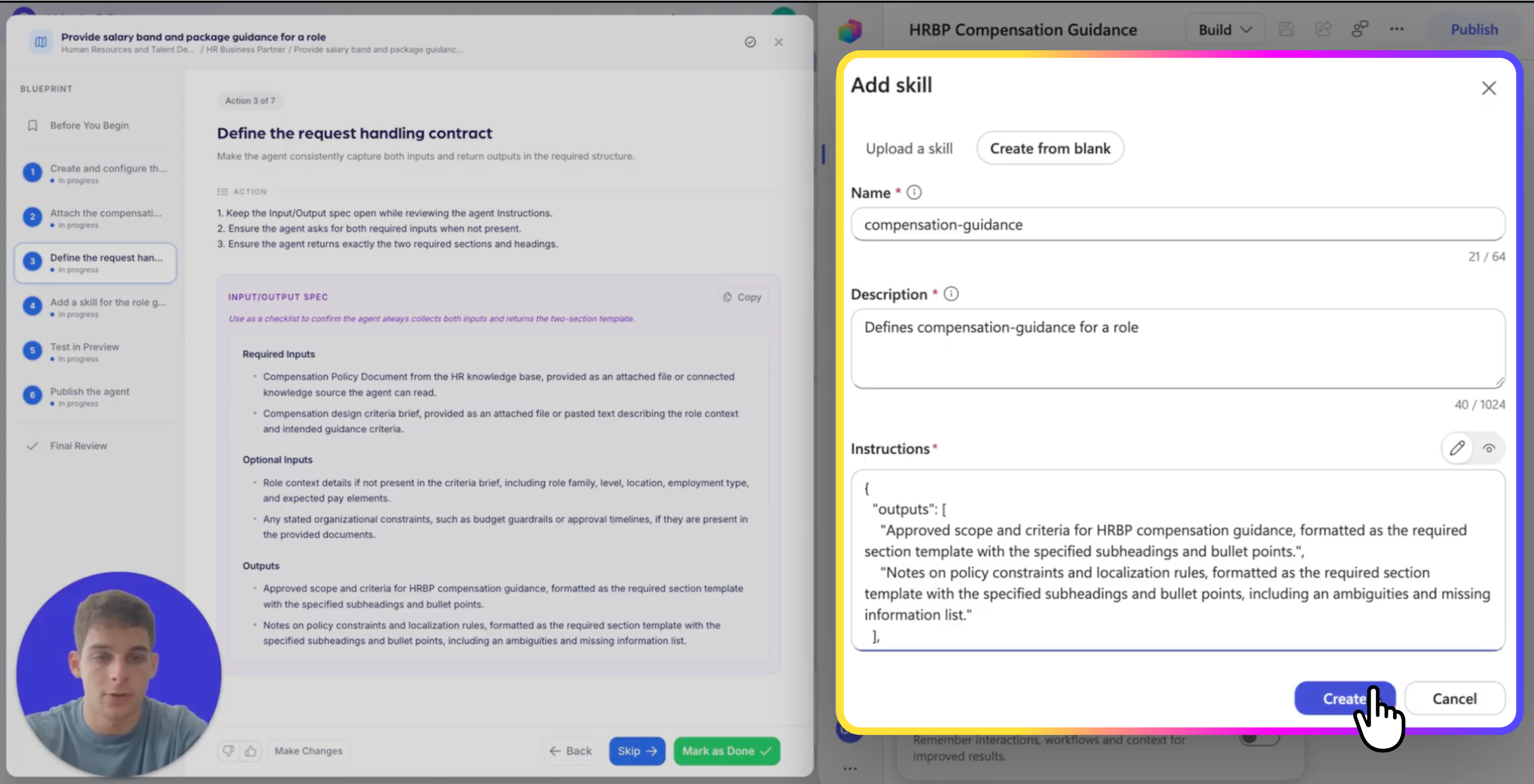
  • Add a new skill as a Markdown file

  • Name and describe it to match compensation guidance scope requests for a role

  • Restate the required two-section output template in the skill instructions

  • Restate the exact quoted edge-case messages, word for word

Step 6 - Offer Package Agent
7

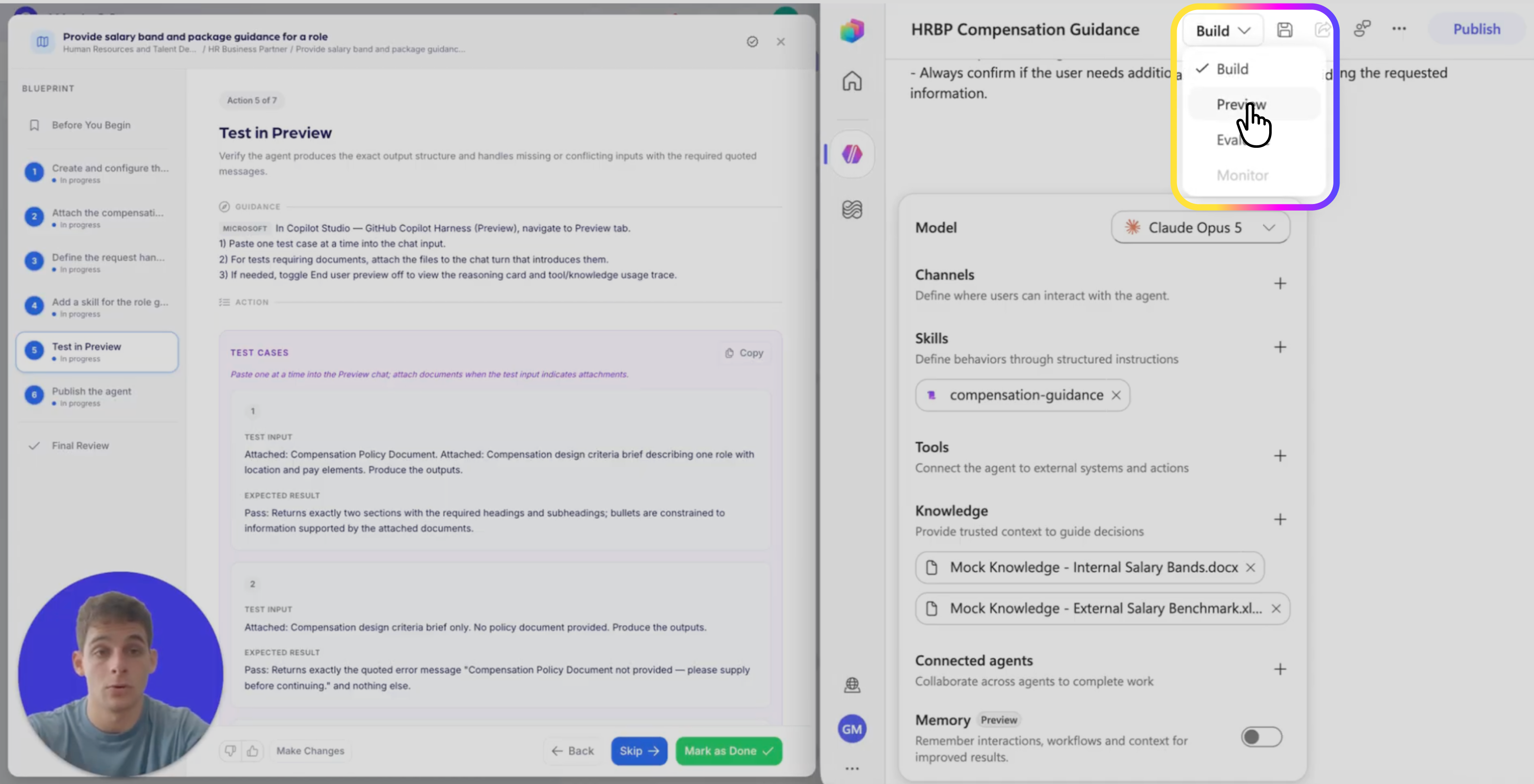
Test in Preview

You are testing structure and refusal wording, not whether the number sounds about right.

  • Policy document + criteria brief  →  returns both sections with the required headings and bullets

  • Criteria brief only  →  “Compensation Policy Document not provided, please supply before continuing.”

  • Policy + brief containing a prohibited pay element  →  “Conflict detected between policy and criteria brief, please clarify or revise the criteria to comply with policy.”

  • Policy + brief with no location  →  “Role location not provided, please specify location to apply localization rules.”

  • A role sitting outside the bands  →  “Please contact Rewards for approval.”

  • A question the documents don’t cover  →  “I can’t provide that information. Please contact Rewards or HR directly for assistance.”

Step 7 - Offer Package Agent
8

Publish, link and monitor

Publishing isn’t done until the recruiters who need the number know where to get it.

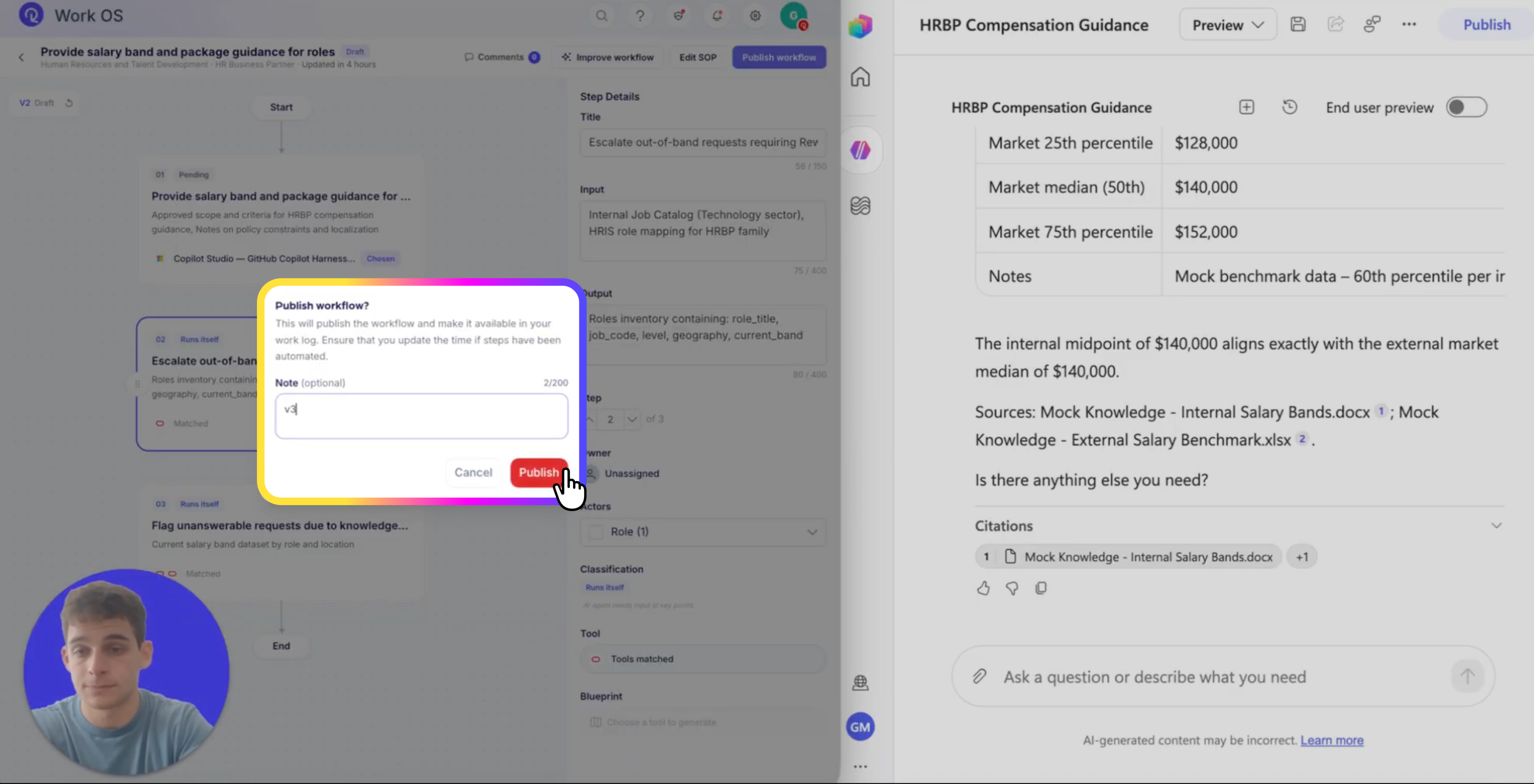
  • In the top toolbar, open Publish → Publish agent
  • Confirm the agent name, description and instructions are saved
  • Configure the channels available in your tenant and publish
  • Restrict the channels to the people cleared to see band data, this agent quotes compensation
  • Add the tool link and usage instructions where recruiters and HRBPs will find them
  • Mark the step as implemented in Work OS to lock the blueprint reference
Step 8 - Offer Package Agent

REEJIG CERTIFIED AI WORKFLOWS

A repeatable way to redesign work with AI — not one-off builds

Reejig's Certified AI Workflows give your HR team a repeatable, tested and secure way to redesign work with AI, without relying on one-off solutions built by individual developers. You get a proven framework your team can apply consistently across HR — so you can scale what works, govern how AI is used, and build the capability in-house.

icon-repeat

Repeatable

The same framework across every HR task, not a new approach each time.

icon-tested

Tested

Known-answer, ambiguous and out-of-scope cases run before launch.

icon-gov

Governed

Approved sources, named owners, and a review cadence on every workflow.

icon-inhouse

In-house

Capability stays with your team, not with the one developer who built it.

See the Work
Operating System