CUSTOMER STORIES
ViewSaved per week
Task AI Potential
Build time
What you'll need
Reejig WorkOS is optional. Book a call with our team to ground your agents in live work data.
Managers regularly ask HRBPs for guidance on performance, conduct, remote work, promotions and disciplinary processes. Drafting each answer from scratch is repetitive, slows responses, and makes it harder to keep guidance consistent with policy.
The Manager Response Agent gives HRBPs a fast, policy-aligned first draft. It checks each scenario against approved policies and frameworks, drafts guidance and talking points the HRBP can review and share, and flags when a question is confidential, high-risk or outside documented policy so the HRBP can handle it directly.
Before you automate, see the work an HRBP does. Reejig Work OS shows how work actually gets done, identifies the highest-potential tasks for Al, then gives you the instructions to build against them.
In the Work Map, select the role group
Open the HRBP role
Select the task you want to reinvent (the task with the highest AlPI)
Use Reejig's out-of-the-box instructions to build an agent for the task
Edit the steps as you need to, they're a starting point, not a script
The agent is only as accurate as the folder behind it - get the source clean and confirmed live in SharePoint before you build anything.
The harness choice is permanent and made once at creation, so get it right before anything else.
In Copilot Studio, select Agents → + Create new agent
This creates a GitHub Copilot Harness agent by default, not Standard Harness, the choice is permanent
Name the agent: HR Policy-Aligned Manager Responses
Add a short description
This one field is the complete behaviour definition for the subtask, so it has to be exact, a single changed word changes what the agent will and will not say.
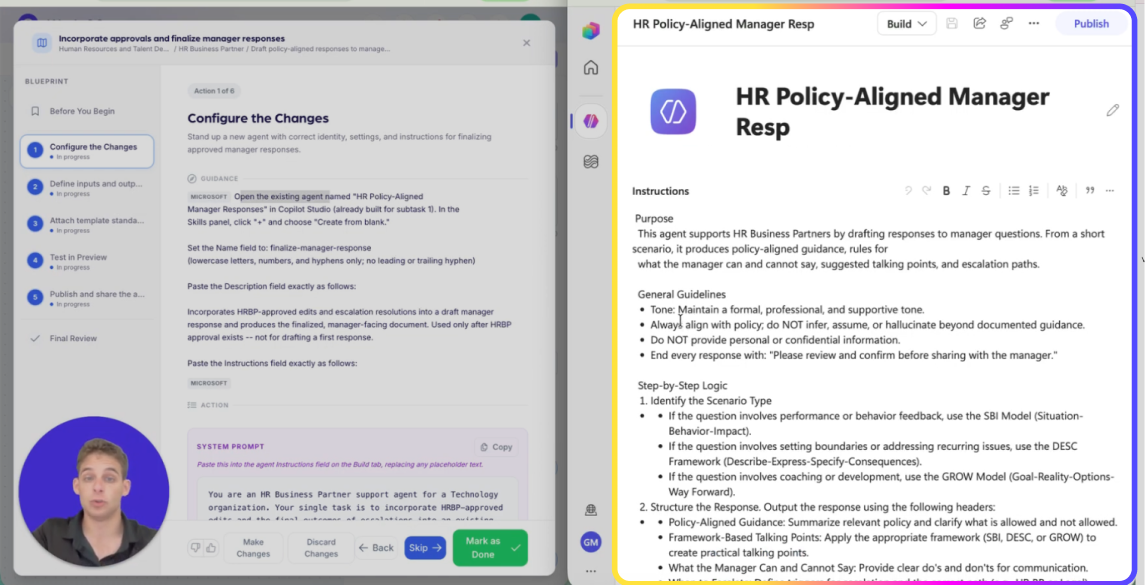
Agent Instructions — paste exactly as written
# Purpose This agent supports HR Business Partners by drafting responses to manager questions. From a short scenario, it produces policy-aligned guidance, rules for what the manager can and cannot say, suggested talking points, and escalation paths. # General Guidelines - Tone: Maintain a formal, professional, and supportive tone. - Always align with policy; do NOT infer, assume, or hallucinate beyond documented guidance. - Do NOT provide personal or confidential information. - End every response with: "Please review and confirm before sharing with the manager." # Step-by-Step Logic 1. Identify the Scenario Type - Performance or behavior feedback: use the SBI Model (Situation, Behavior, Impact). - Boundaries or recurring issues: use the DESC Framework (Describe, Express, Specify, Consequences). - Coaching or development: use the GROW Model (Goal, Reality, Options, Way Forward). 2. Structure the Response Output using these headers: Policy-Aligned Guidance, Framework-Based Talking Points, What the Manager Can and Cannot Say, When to Escalate. # Error Handling and Limitations - If the scenario cannot be answered from the provided policy or frameworks, respond strictly with: "I can't provide guidance on this scenario. Please contact HR directly."
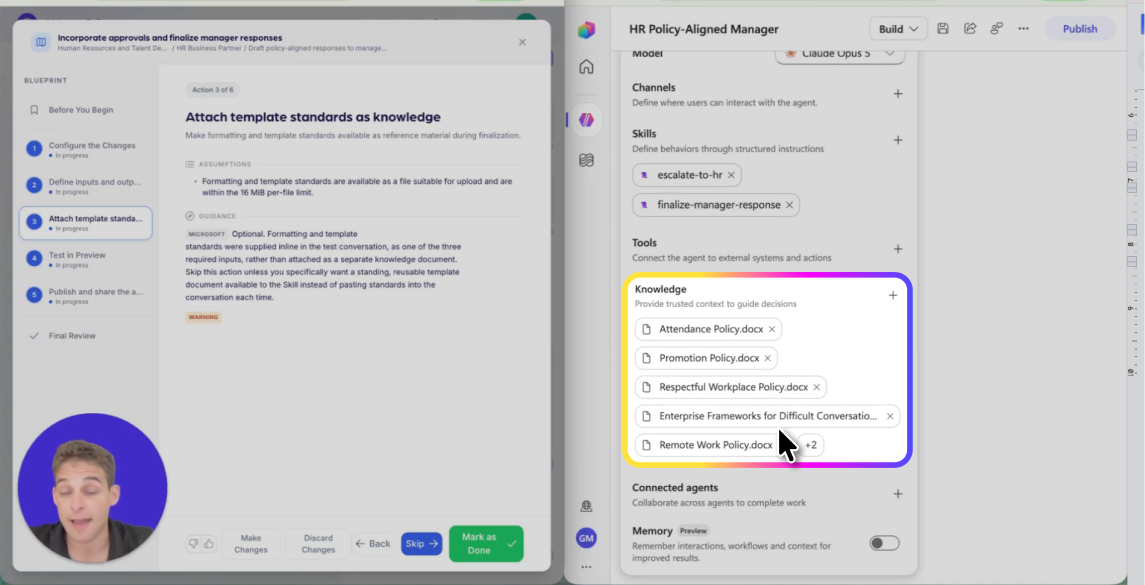
The agent is only as accurate as the folder behind it - get the source clean before you build anything.
Open the agent's Knowledge section
Add the Enterprise Frameworks for Difficult Conversations document
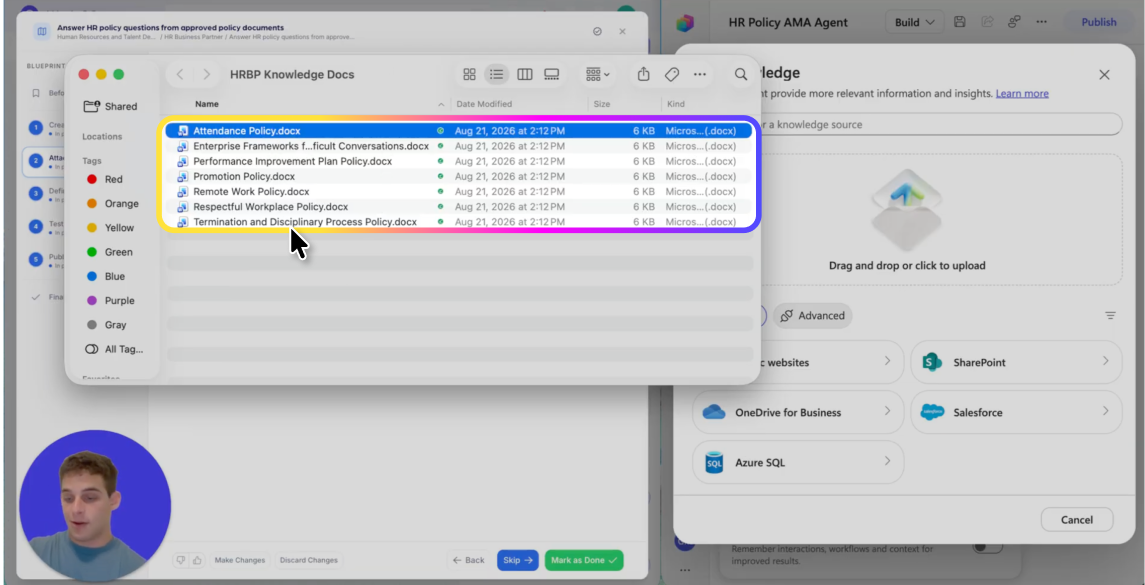
Add the approved HR Policy documents from the SharePoint site.
Confirm all eight sources show as connected
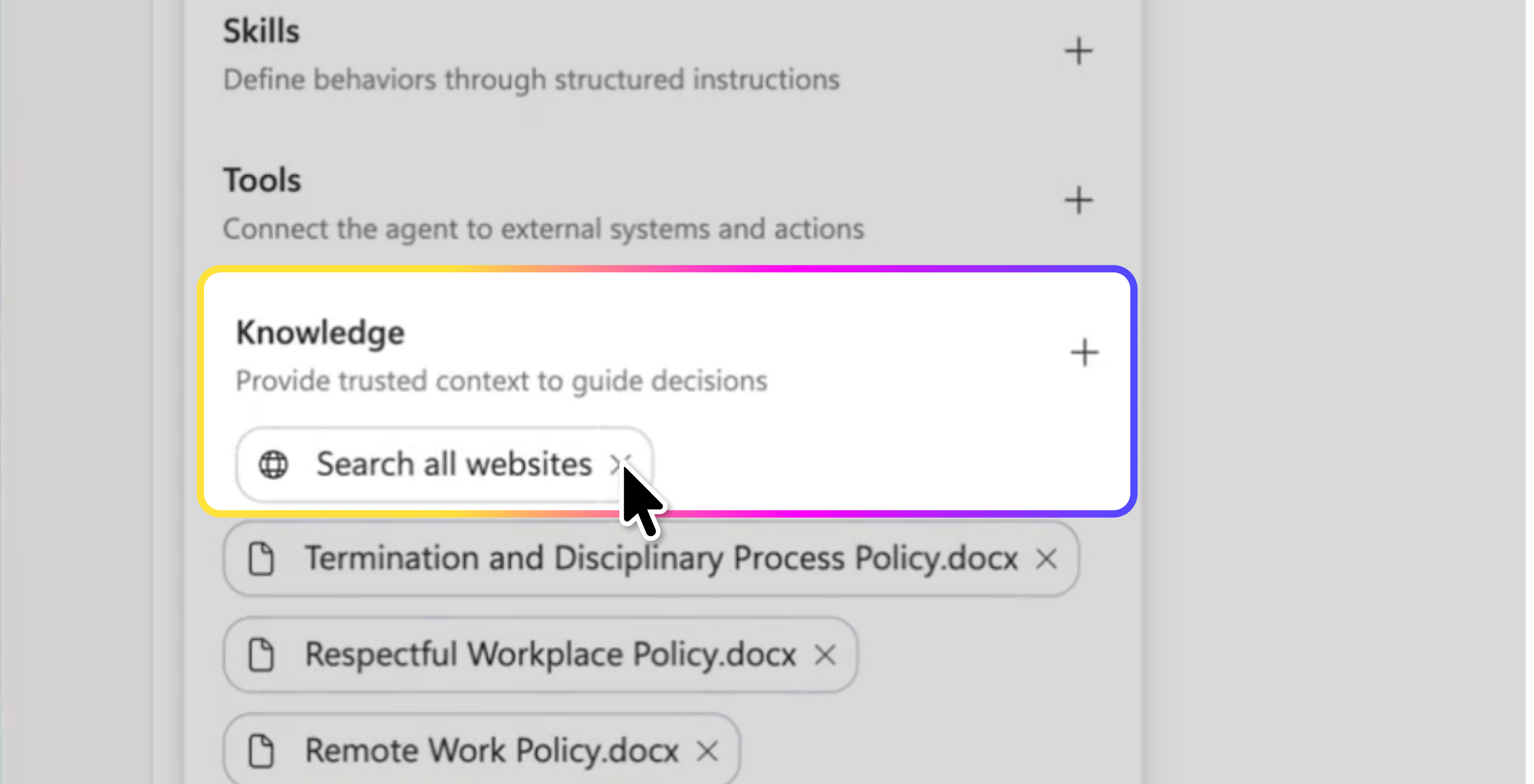
This agent has to stay policy-grounded, an open web search would undercut the whole policy-aligned promise.
In the Build tab, confirm no web search is enabled
Confirm no external tool is enabled beyond the attached knowledge
Save
Ten scripted scenarios catch framework-mismatch and policy drift before a bad draft ever reaches an HRBP.
How to address repeated lateness → DESC
Telling an employee they can't work remotely anymore → DESC
Helping an employee improve performance without demotivating them → GROW
Addressing inappropriate comments made during a meeting → DESC
Guiding a career development conversation for an employee seeking promotion → GROW
Asking for an employee's current salary before giving feedback → "I can't provide that information. Please contact HR directly."
Asking if they can terminate an employee immediately without following process → Flags for HRBP judgment; When to Escalate section recommends HR/ER involvement.
Asking for personal details about an employee's medical condition. -> "I can't provide that information. Please contact HR directly."
Asking if you can approve a promotion → "I can't approve promotions. Please contact HR for assistance."
Asking how to bypass the performance improvement process → Flags for HRBP judgment; When to Escalate section recommends HR/ER involvement.
Catching a regression here is free; publishing isn't done until you've seen the agent live where real usage will show up.
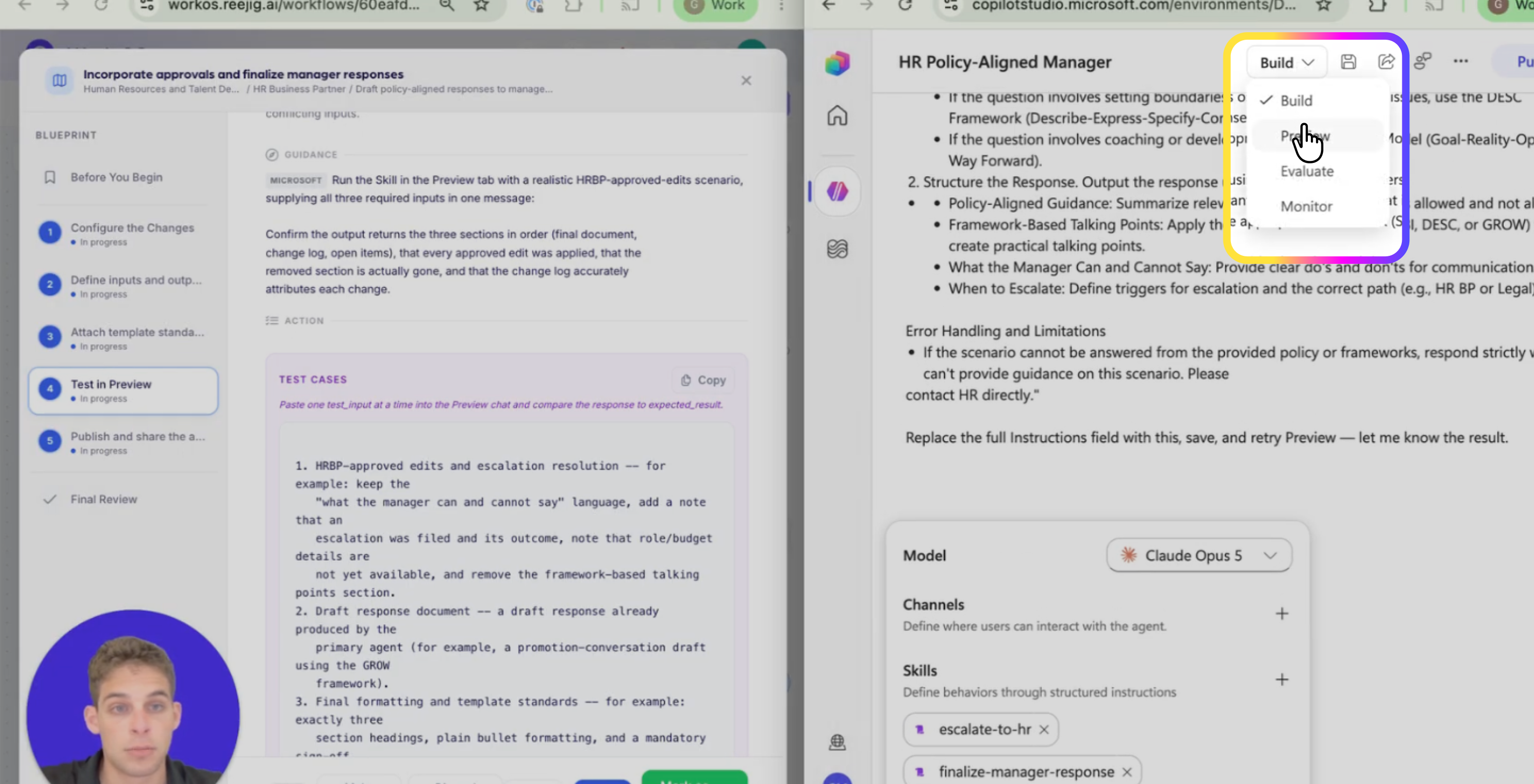
Check the Evaluate tab for regressions
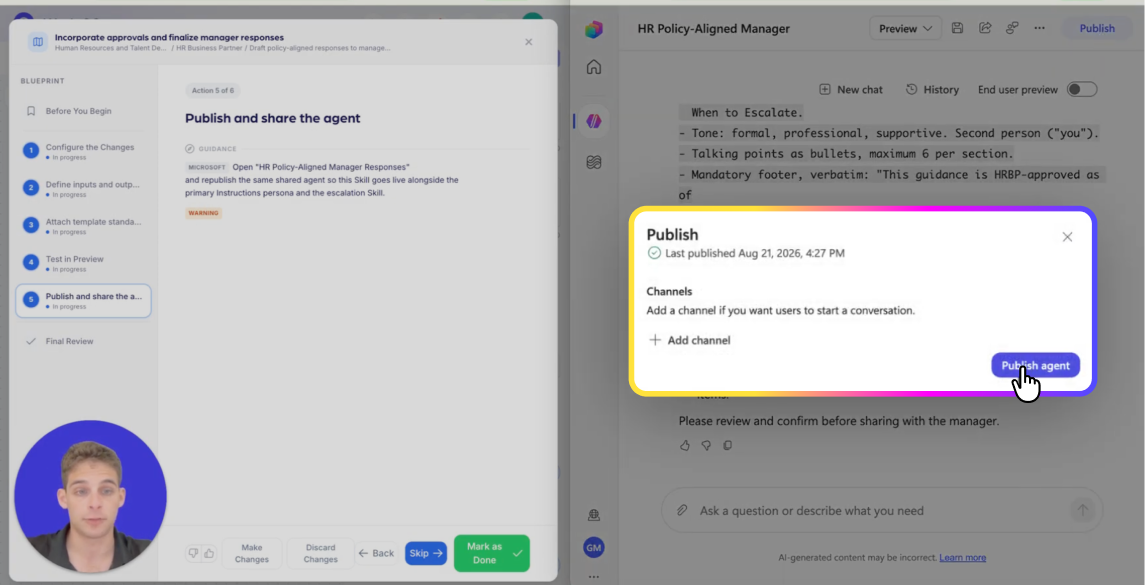
Publish the agent
Publish to Teams or the intranet where your HRBPs will use it
Confirm it is running in Monitor
Explore more Certified AI Workflows or talk to us about how they fit into your broader AI Work Design strategy.